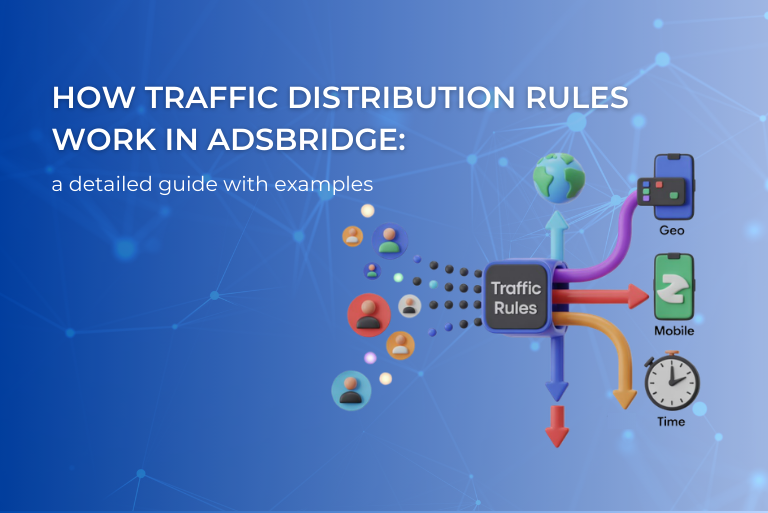
When you launch a campaign and start scaling, the simple scheme “source → offer → conversion” stops working.
Traffic becomes different: by GEO, devices, and other parameters.
This is where traffic distribution rules come into play.
In this article, we’ll cover:
- what a default rule is;
- how rules with conditions differ;
- what conditions are available;
- and how to use all of this in practice.
Default rule: the foundation of any campaign
The default rule is the core element of a campaign.
All traffic that does not match any other rule will go here.

If you don’t need complex splits or filtering, you can simply:
- create only a default rule;
- add up to 100 distribution paths if needed;
- distribute traffic between offers or landing pages.
Example
You are testing two offers:
Offer 1 – 50%
Offer 2 – 50%
In this case you only need:
- a default rule;
- one distribution path with a 50/50 split.

Distribution paths: where the traffic actually goes
A distribution path is a set of elements where traffic is sent:
- an offer;
- a landing page + offer;
- or a split between multiple offers / landing pages.
You can combine these elements in any way depending on your funnel logic.
Example
You are testing one offer with and without a landing page:
Offer 1 – 50%
Landing Page + Offer 1 – 50%
In this case you need:
- a default rule;
- two distribution paths with a 50/50 split.

Rules with conditions: smart traffic control
If you need to route traffic based on specific parameters, you can use rules with conditions.
These rules are created via the “Create rule” button.
Each rule consists of two tabs:
- Condition – where you define traffic parameters;
- Distribution path – where you specify where that traffic should go.

Available conditions
You can filter traffic using many different parameters. Here are the main groups.
GEO and location
- Country
- State / Region
- City
Example:
Traffic from Germany → premium offer 1
Traffic from Austria → premium offer 2
Traffic from other countries → default rule

Source parameters
- Sub ID (including custom ones)
- Referrer
- User Agent
Devices and environment
- Traffic type (Web / WAP / Tablet)
- Device type
- OS (with versions)
- Browser
- Device manufacturer and model
Network and connection
- ISP
- Mobile carrier
- Connection type (WiFi / Mobile / Wired)
- IP or IP range
Time
- Day of the week
- Time (based on timezone)
Example:
Working hours → main offer
Night time → fallback offer

Additional
- Browser language
- Uniqueness
- Proxy traffic (via a separate Proxy Rule)
Rule logic: important things to remember
This is where users often make mistakes, so it’s important to understand how it works.
Between rules – «OR» Logic
Traffic can match only one rule.

Inside a Rule – «AND» Logic
For a user to match a rule, all conditions must be met.

Rule priority
- The system selects the rule with the highest number of matching conditions.
- If the number of matches is the same, the rule higher in the list is applied.
- If no rule matches, traffic goes to the default rule.
Example of multiple conditions in one rule

You have a rule with the following conditions:
Country = France
OS = iOS
Traffic Type = Mobile
A user will enter this rule only if all three conditions are met simultaneously.
If at least one condition does not match, the traffic will go to the default rule.
Conclusion
Traffic distribution rules are not just filters.
They are a funnel management logic that allows you to:
- precisely segment traffic;
- scale campaigns without chaos;
- get maximum value from each traffic source.
When you understand how rules and priorities work, a tracker stops being “just a redirect tool” and becomes the central system for managing your traffic.