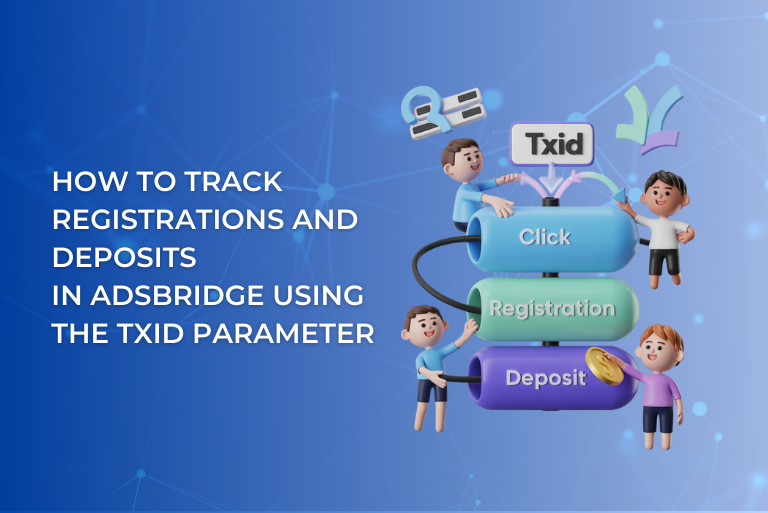
In affiliate marketing, a conversion fact is often not enough. To understand campaign performance, it is important to see what exact action a user has taken — a registration or a deposit. These events have different value, so for accurate analytics they must be tracked separately.
In AdsBridge, this is handled by the txid parameter.
txid is a transaction type parameter that allows tracking multiple conversions under one click ID (for example, reg and dep).
In this guide, we will explain how to configure AdsBridge to pass reg and dep in two of the most common scenarios: when a affiliate network provides an event macro and when it does not.
Option 1. The affiliate network has an event macro
Some affiliate networks provide a macro that passes the event type (for example, {event_type}).
In this case, the affiliate network macro must be inserted into the tracker’s txid parameter.
Step 1. Setting up the postback in AdsBridge
To ensure that registrations and deposits are correctly passed to AdsBridge, you need to properly configure the postback URL with the affiliate network.
AdsBridge postback example:
https://mqjyon.abadit5rckb.com/trackpixel/track?tid={clickid}&amt={payout}&txid={event_type}
Where:
- {clickid} — the affiliate network macro that passes the click ID;
- {payout} — the affiliate network macro that passes the dynamic payout value;
- {event_type} — the affiliate network macro that passes the event type (reg / dep).

Step 2. Setting up the postback on the affiliate network side
Place the postback configured in the previous step into the appropriate field on the affiliate network side.
Option 2. The affiliate network does not have a macro
If there is no macro and the affiliate network only passes the fact of a registration or a deposit, you need to use two separate postbacks on the affiliate network side.
Step 1. Setting up the postback in AdsBridge
To ensure that registrations and deposits are correctly passed to AdsBridge, you need to properly configure the postback URL with the affiliate network.
AdsBridge postback example:
https://mqjyon.abadit5rckb.com/trackpixel/track?tid={clickid}&amt={payout}
Where:
- {clickid} — the affiliate network macro that passes the click ID;
- {payout} — the affiliate network macro that passes the dynamic payout value.
Note: in this type of setup, the txid parameter does not need to be specified in the tracker.

Step 2. Setting up the postback on the affiliate network side
Place the registration postback in the appropriate field on the affiliate network side:
https://mqjyon.abadit5rckb.com/trackpixel/track?tid={clickid}&amt={payout}&txid=reg
Place the deposit postback:
https://mqjyon.abadit5rckb.com/trackpixel/track?tid={clickid}&amt={payout}&txid=dep
Where to view registrations and deposits in AdsBridge
By default, the unique txid parameter is displayed only in the Conversions report. However, by enabling the Txid in Global report feature, you will be able to see txid directly in the Global report, as well as pass this data to the traffic source via postback, which simplifies tracking and analysis of advertising campaigns.
Contact your manager to request access to this feature and activate it in your account.
After the feature is activated, postbacks are configured, and the affiliate network sends events to AdsBridge, registrations and deposits will be available in the statistics section.
To view transaction types:
- Go to the Statistics section
- Open the Global report
- When exporting statistics, add the Transaction ID parameter to the report

Passing reg and dep back to the traffic source
After transactions are recorded in AdsBridge, they can be sent back to the traffic source.
How it works
AdsBridge receives an event from the affiliate network.
Records it in the tracker statistics.
The transaction type is passed to the traffic source using the <txid> tracker macro, which must be placed in the traffic source postback parameter that accepts conversion data.
Example:
https://trafficsource.com/call/tr/5757/clickid=<tracking_id>&payout=<payout>&action=<txid>

Additional setup option (Affiliate lead postback)
In addition to the options described above, AdsBridge offers an alternative way to work with conversion statuses. This option can be useful in situations where only one transaction type needs to be counted in the Global report — for example, treating a deposit as the confirmed conversion, while using registration for additional analytics.
In this case, registrations will appear in the Conversions report and will be passed to the traffic source, but will not be included in the Global report, while deposits will be counted as primary conversions. This logic is implemented using the affiliate lead postback feature, which allows passing conversions with different statuses and flexibly managing which of them appear in the Global Report and are sent to the traffic source.
This option is useful if:
- the main campaign KPI is a deposit;
- registration is used as a secondary event;
- different conversion statuses need to be sent separately to the traffic source for optimization.
You can read more about configuring this option in a separate article:
👉Affiliate lead postback
Conclusion
Tracking registrations and deposits using the txid parameter allows you to record multiple transaction types under a single click ID, building a complete user funnel — from click to registration and deposit. This provides transparent analytics and enables decision-making based on real user actions rather than just the overall conversion fact.