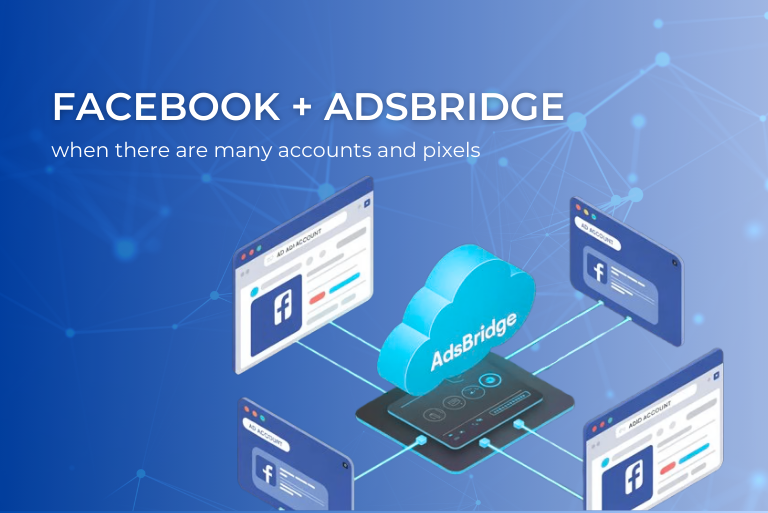
And why the tracker should become the center of your system
Working with Facebook Ads has long since stopped being a “one account – one pixel” story. Most media buyers and teams today have:
– a large number of Business Managers and ad accounts,
– dozens of campaigns for different GEOs and verticals,
– a bunch of pixels for each account, client, or traffic source.
Add pre-landers, landing split tests, several affiliate networks, cloaking, redirects and it becomes clear that without proper tracking everything quickly turns into chaos.
Why Facebook analytics is not enough
At the start, many people look only at Ads Manager and Events Manager, but as soon as the structure becomes more complex, problems start to appear:
- Data is scattered across accounts.
You have 5–10 ad accounts, each living its own life. - Some conversions are lost.
The browser pixel does not always fire: AdBlock, cookie restrictions, redirects, mobile browser specifics, part of the post-click path – all of this eats real user actions. - Facebook sees only “its” part of the funnel.
If you have a pre-lander, several redirects, or a complex funnel with upsell offers, Facebook does not see the full path and cannot correctly evaluate what exactly brings the money. - Verticals and GEOs are mixed.
If you send everything into one pixel – white, grey, different countries, and traffic types algorithm learning turns into a “mess”.
As a result, you need a place where you see all traffic and all conversions, and only then decide which events to send to a specific Facebook pixel.
Facebook + AdsBridge connection: how it works technically
In simplified form:
1. The user sees an ad on Facebook and clicks on it.
2. The click does not go directly to the landing, but first goes to AdsBridge via the campaign link.
3.In AdsBridge the logic is triggered:
- which landing or pre-lander to show;
- which offer to send the user to and according to which rules.
4. The user lands on the required page.
5. When a conversion happens, the affiliate network or advertiser sends a postback to AdsBridge.
6. AdsBridge records the conversion and sends an event to the required Facebook Pixel via the integration (CAPI).

Important: Facebook is responsible for showing the ads, and AdsBridge is responsible for routing, analytics, and sending the correct event back to the correct pixel. This is exactly where the ability to work with several pixels, and not just one, becomes useful.
Example of a real configuration: several accounts and 3+ pixels
Imagine that you have:
- 2–3 Business Managers in Facebook,
- several accounts in each,
- you run nutra for EU and LATAM, plus have a white direction.
You create three pixels in Facebook:
- Pixel_Nutra_EU,
- Pixel_Nutra_LATAM,
- Pixel_White_Global.
And you want all traffic to go through AdsBridge, to see the overall picture in one dashboard, but for conversions to be sent to “their own” pixels.
How to set up work with several Facebook pixels in AdsBridge in this case:
Step 1. Set up a campaign in AdsBridge with all necessary rules
Step 2. Add Facebook in AdsBridge
In the traffic source settings you need to create Facebook and assign accounts. More details on setting up Facebook CAPI in our article: https://www.adsbridge.com/setting-up-facebook-capi/
Step 3. Add the preconfigured Facebook as a Traffic Source
When adding the Facebook postback URL in AdsBridge, after saving the campaign it may seem that the link has been cut off and you see not the entire URL in the interface, but only part of it.

Important: in the case of Facebook Conversion API, the tracker stores the full address and all required parameters, and visually in the campaign settings we can show only the beginning of the line. This does not affect sending events to Facebook.
When AdsBridge sends a server event to the Facebook Pixel, we pass at a minimum the following set of parameters:
- event_name — the type of event you selected during setup (most often: Lead, Purchase, CompleteRegistration);
- event_time — the conversion time according to the tracker;
- event_id — a unique event ID based on the click (clickid) or internal conversion ID so that Facebook can deduplicate events;
- action_source — the source of the action, in our case website;
- custom_data.value — the conversion value (profit/payout) if you pass payout into the tracker;
- custom_data.currency — the currency of the event (taken from the settings / conversion data).
If you have doubts about what exactly is being sent:
1. Open the postback with Facebook in the Traffic Sources section; there you will see the full template.

2. Make a test conversion and check Events Manager: you will see the incoming event with event_name, event_time, value, currency and event_id.
If after saving you really see that part of the URL has physically disappeared (for example, the block after ? was removed), send support an example of the link and a screenshot, and we will check the format and help you add the postback correctly.
Step 4. Add pixels to the campaign in the tracker

When a conversion is received, AdsBridge uses the click ID to determine to which pixel to send this event.
Step 5. Check the chain “from click to event”
Before scaling it is worth doing a test run:
- You launch a test campaign in Facebook with an AdsBridge tracking link.
- You click yourself or send test traffic.
- In AdsBridge you check: did the clicks arrive, was the test conversion recorded.
- In Events Manager you check: did the event reach the required pixel.
Result: why you should tie Facebook to AdsBridge
When you have one ad account and one landing, you can live without a tracker and with one pixel. But as soon as you have several Business Managers and accounts, different GEOs and verticals, clients with their own reporting requirements, complex funnels with pre-landers and redirects, you need a center where all this is brought together into one clear picture, and this center is AdsBridge.